
One app, two ways to use it
Download the Man With Van app for Android and iPhone
Customers use it to request quotes and manage their moves. Approved drivers use the very same app to quote and run their jobs. Install it, then sign in with your existing Man With Van account.


Installing the app does not guarantee service availability. Check the store listing for device requirements and the latest supported version; installed versions may differ.
Already installed? Open the app. Prefer a browser? Request a quote online.
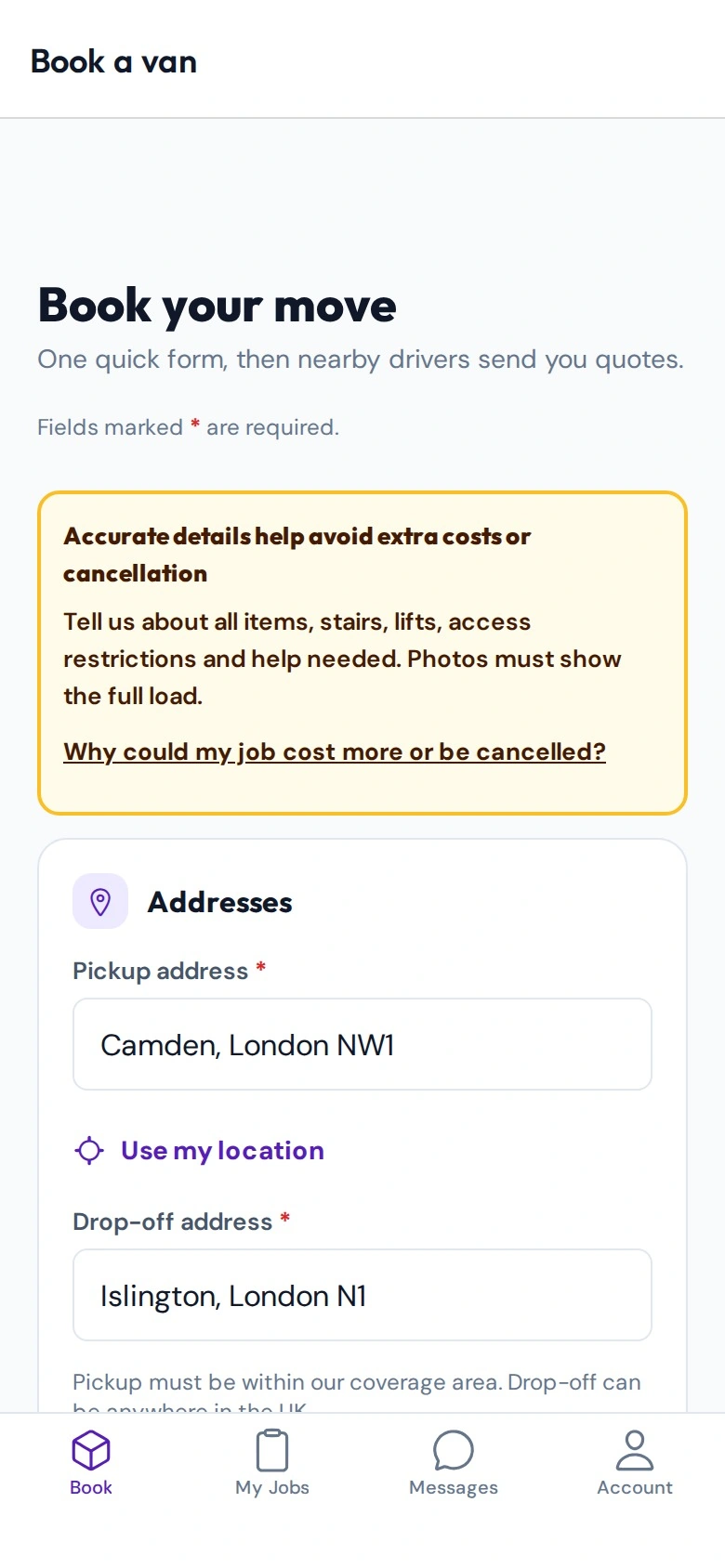
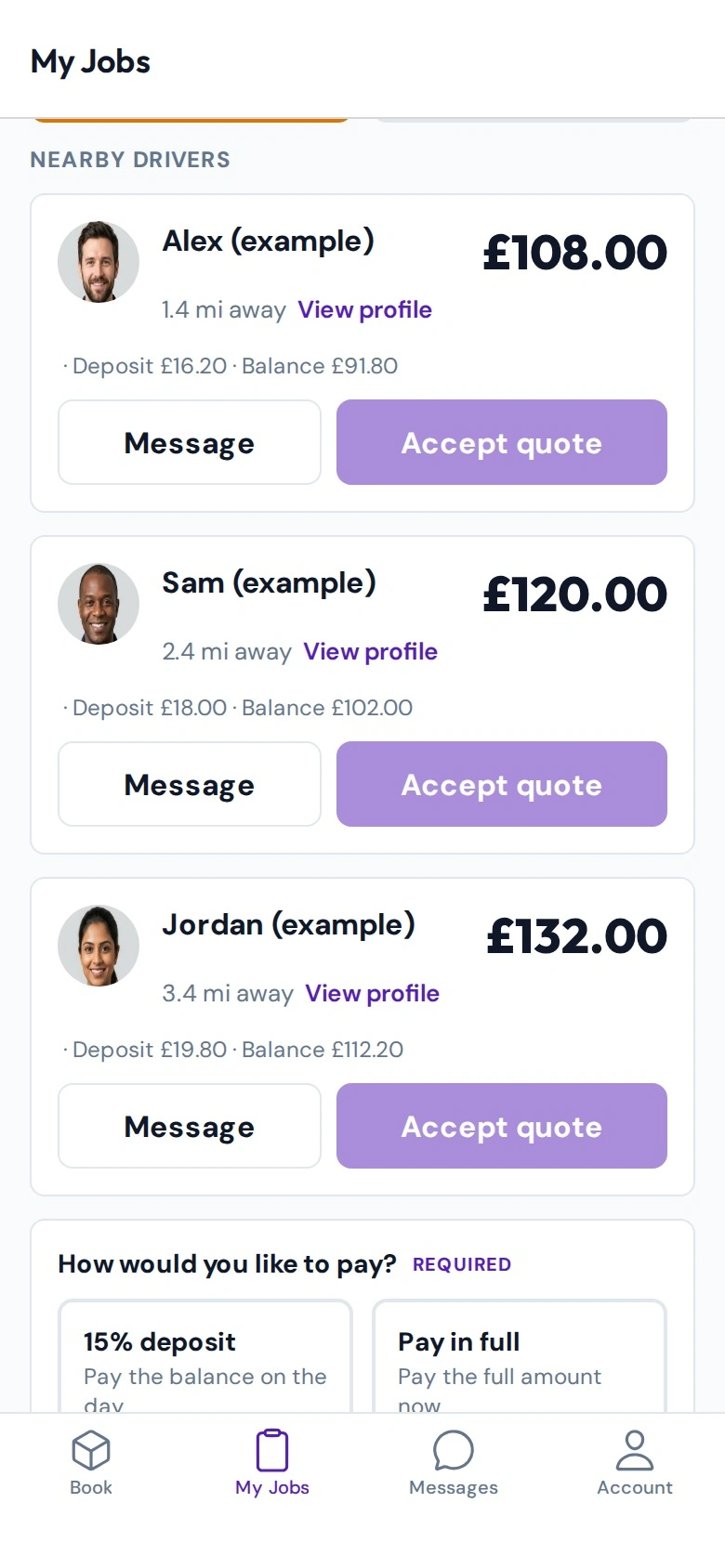
Illustrative app screen previews. Driver photos, names, addresses and prices are examples—not live offers. Appearance may vary by device and app version.
How to install the app
- Choose Google Play on Android, or the App Store on iPhone, using the buttons above. Both are always shown.
- Check the store listing for device requirements, then install.
- Open the app and sign in with your Man With Van email and password, or register.
- Customers continue to the quote request. Drivers sign in with their driver account.
The same website account works in the app, so jobs you start on the website appear in the app and the other way round. Your account type decides whether you see the customer or driver experience.
How customers use the app to book a van
From first postcode to move day, this is the order things happen. More detail is in the booking guide.
Step by step for customers
Describe the move
Enter pickup and delivery UK postcodes, date and time, your full item list, floors, lifts and access, van size (Small, Medium, Large or Luton), any help carrying, and optional photos.
Sign in to send it
An account is needed to send the request. Use your website account, or register with email and password and confirm the four-digit code sent to your email.
Pick Instant quotation or Bidding
Instant quotation needs at least 2 whole service hours. With Bidding, nearby drivers are notified and can send quotes. Replies depend on local availability and are not guaranteed.
Review offers in My Jobs
My Jobs shows offers, bookings and status. Compare quote totals and service details, then choose.
Pay to confirm
Choose the 20% deposit to reserve your booking or pay in full. The remaining balance is paid directly to your driver on moving day. The booking is confirmed when the driver accepts and the required payment is made.
Stay in touch
Messages is the private chat for each job, plus Support. History keeps past jobs. The route map shows pickup to delivery, not live tracking.
How drivers use the same app to find and manage jobs
Drivers do not need a separate download. Apply, get approved, then use this app. Read the full driver guide first.
Step by step for drivers
Apply
Register as a driver with your details, licence number, home postcode and address, and the van you actually drive. Upload identity, licence, insurance and van documents.
Wait for admin approval
An admin reviews each application. Approval is not automatic and promises no work or income.
Set rates and availability
Once approved, set van, stairs and helper rates and your availability, and keep your profile current.
Review requests
See eligible requests, read the details, photos and access notes, and quote only on jobs that suit you. Give bids or eligible instant quotes.
Handle accepted jobs
Accepted jobs and your calendar show confirmed work. Confirm driver acceptance and customer payment before planning your day.
Use Messages and Support
Message customers privately about jobs, contact Support, and maintain your profile.
What you will find inside the app
For customers
- Quote request with postcodes, items, access and optional photos
- My Jobs for offers, bookings and status
- Messages for private job chat, and Support
- History for past jobs
For approved drivers
- Requests to review and quote on
- Accepted jobs and calendar
- Private Messages and Support
- Profile, rates and availability
App download questions and answers
Is there one app or two?
One. Customers and drivers install the same Man With Van app from the same store listing. What you see after signing in depends on your account type.
Do I need a new account for the app?
No. The account you already use on the website works in the app. If you are new, you can register as a customer in the app or on the website.
Does installing the app guarantee a driver or work?
No. Installing is not a guarantee of service availability. Driver availability and quotes depend on your area and timing, and drivers are not guaranteed any jobs.
Is the route map live tracking?
No. The map shows the route from pickup to delivery. It does not show a driver moving in real time.
When is my booking confirmed?
A quote alone does not confirm a driver. A booking is confirmed when the driver accepts and the required payment is made.
What will I pay?
Review the quote total and service details. For new bookings, you can pay a 20% deposit to reserve your booking or pay in full; the remaining balance is paid directly to your driver on moving day. Existing bookings keep their agreed split. If the load, access or service time changes, discuss any extra work with your driver before agreeing it. The app does not automatically collect extra-work charges.
Does applying as a driver in the app mean I am approved?
No. Admin reviews every application and approval is not automatic. Approval promises no work or income.
Which phones are supported?
Device requirements and the latest supported version are shown on the store listing. Installed versions may differ, so check the store for updates.
The store button says unavailable. What now?
You can request quotes, manage bookings and access your customer or driver account on the website instead. Try again later for the store link.
I already installed the app. How do I open it?
Open it from your home screen, or use the open-the-app page linked below.
Need help or prefer the website?
You can also request quotes, manage bookings and access your driver account online. Read our privacy notice or contact us.
Google Play and the Google Play logo are trademarks of Google LLC. Apple and the Apple logo are trademarks of Apple Inc. App Store is a service mark of Apple Inc.